Docker Architecture
Understand Docker's client-server architecture including components, daemon functionality, registry operations, and the complete containerization process from build to deployment.
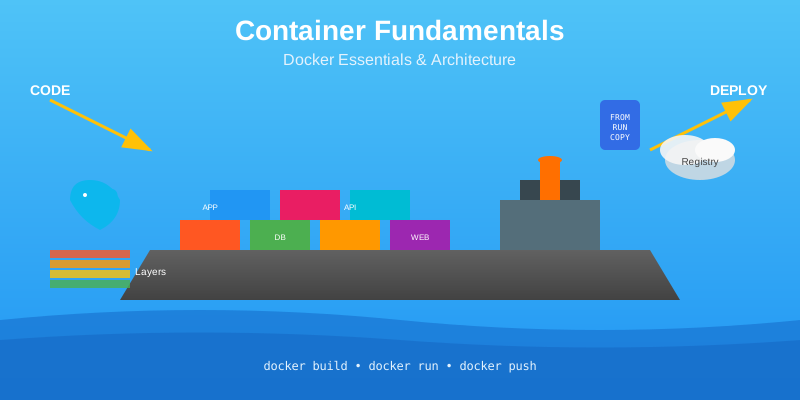
This document explores Docker's client-server architecture, examining the interaction between Docker client, host, and registry components. It details daemon functionality, registry operations, and provides a comprehensive walkthrough of the containerization process from image creation to container deployment.
Docker Architecture Overview
Docker utilizes a client-server architecture that provides a complete application environment for containerization. This architecture enables efficient container management through well-defined components that work together seamlessly.
The Docker architecture consists of three primary components that interact to deliver containerization capabilities. Each component serves a specific role in the container lifecycle, from development to deployment and distribution.
Core Components
Docker architecture includes three essential components:
| Component | Function | Description |
|---|---|---|
| Docker Client | User Interface | Command line interface and REST APIs for user interaction |
| Docker Host | Container Engine | Contains daemon and manages containers, images, and resources |
| Docker Registry | Image Storage | Stores and distributes container images |
These components work together to provide a comprehensive containerization platform that supports the entire container lifecycle from development to production deployment.
    graph TB
	    subgraph "Docker Architecture"
	        A[👤 Docker Client<br/>CLI & REST APIs]
	        B[🖥️ Docker Host<br/>Docker Daemon]
	        C[📦 Docker Registry<br/>Image Storage]
	        D[📋 Running Containers]
	    end

	    A -->|Commands & API Calls| B
	    B -->|Pull/Push Images| C
	    B -->|Create & Manage| D

	    style A fill:#e1f5fe
	    style B fill:#fff3e0
	    style C fill:#f3e5f5
	    style D fill:#e8f5e8
Docker Client
The Docker client serves as the primary interface for users to interact with Docker functionality. It provides multiple methods for communication and supports both local and remote operations.
Client Communication Methods
Users can interact with Docker through two primary communication channels:
- Docker Command Line Interface (CLI): Provides command-based interaction for container operations
- REST APIs: Enables programmatic access for automation and integration
The Docker client sends instructions to the Docker host server, commonly referred to as the host, enabling users to control container operations remotely or locally.
Client Connectivity
The Docker client offers flexible connectivity options for different deployment scenarios. Users can run the Docker client and daemon on the same system for local development or connect the Docker client to a remote Docker daemon for distributed operations.
This flexibility enables developers to work with containers across different environments while maintaining consistent interfaces and workflows.
Docker Host and Daemon
The Docker host contains the core engine responsible for container management and operations. It processes client requests and manages all aspects of container lifecycle.
Docker Daemon (dockerd)
The Docker host contains the daemon known as dockerd, which serves as the central processing engine for all Docker operations. The daemon listens for Docker API requests or commands and processes those commands efficiently.
Common commands processed by the daemon include:
1docker run
2docker build
3docker pull
4docker push
Daemon Responsibilities
The daemon performs the heavy lifting required for container operations:
- Building: Creates container images from Dockerfiles
- Running: Executes containers from images
- Distributing: Manages image distribution and sharing
The daemon handles all low-level container operations, ensuring efficient resource utilization and proper isolation between containers.
Host Management Capabilities
The Docker host includes and manages various components essential for containerization:
    graph TD
	    subgraph "Docker Host"
	        D[🔧 Docker Daemon<br/>dockerd]

	        D --> I[📁 Images<br/>Templates & Blueprints]
	        D --> C[📦 Containers<br/>Running Instances]
	        D --> N[🌐 Networks<br/>Communication Channels]
	        D --> S[💾 Storage<br/>Persistent Data]
	        D --> NS[🔒 Namespaces<br/>Process Isolation]
	        D --> P[🔌 Plugins<br/>Extended Functionality]
	        D --> A[⚙️ Add-ons<br/>Additional Tools]
	    end

	    style D fill:#ff9800,color:#fff
	    style I fill:#e3f2fd
	    style C fill:#e8f5e8
	    style N fill:#fff3e0
	    style S fill:#f3e5f5
	    style NS fill:#ffebee
	    style P fill:#e0f2f1
	    style A fill:#fce4ec
- Images: Container templates and blueprints
- Containers: Running instances of images
- Namespaces: Isolation mechanisms for processes
- Networks: Communication channels between containers
- Storage: Persistent data management
- Plugins: Extended functionality modules
- Add-ons: Additional tools and utilities
Daemon Communication
Docker daemons can communicate with other daemons to manage Docker services across multiple hosts. This capability enables cluster management and distributed container operations in enterprise environments.
Docker Registry
Docker registries serve as centralized repositories for storing and distributing container images. They enable image sharing across different environments and teams.
Registry Types
Docker supports different registry access models to meet various security and accessibility requirements:
| Registry Type | Access Level | Use Case |
|---|---|---|
| Public Registry | Open access | Community sharing, public projects |
| Private Registry | Restricted access | Enterprise security, proprietary software |
    graph LR
	    subgraph "Public Registry (Docker Hub)"
	        PUB[🌍 Docker Hub<br/>Open Access]
	        PUB --> COMM[👥 Community Images]
	        PUB --> OFF[✅ Official Images]
	        PUB --> OSS[🔓 Open Source Projects]
	    end

	    subgraph "Private Registry"
	        PRIV[🔒 Private Registry<br/>Restricted Access]
	        PRIV --> ENT[🏢 Enterprise Security]
	        PRIV --> PROP[🔐 Proprietary Software]
	        PRIV --> CTRL[⚙️ Full Control]
	    end

	    subgraph "Hosting Options"
	        THIRD[☁️ Third-party<br/>IBM Cloud, AWS, etc.]
	        SELF[🏠 Self-hosted<br/>Data Centers]
	    end

	    PRIV -.-> THIRD
	    PRIV -.-> SELF

	    style PUB fill:#e8f5e8
	    style PRIV fill:#ffebee
	    style THIRD fill:#e3f2fd
	    style SELF fill:#fff3e0
Public Registry Example
Docker Hub serves as the most prominent public registry, accessible by everyone for sharing and downloading container images. It provides a vast collection of official and community-maintained images.
Private Registry Solutions
Enterprises typically opt for private registries for security reasons, protecting proprietary software and maintaining control over image distribution. Private registry options include:
- Third-party providers: IBM Cloud Container Registry and similar services
- Self-hosted solutions: Private data centers or cloud-based deployments
Registry Locations
Registry locations can be hosted using various deployment models to meet different organizational requirements and infrastructure preferences.
Image Distribution Process
The process of moving images into and out of registries follows a structured workflow that enables efficient collaboration and deployment.
Image Upload Process
Developers follow a systematic approach to make images available in registries:
- Build Images: Create container images using automation or build pipelines
- Push to Registry: Upload images to the designated registry
- Storage: Docker stores these images in the registry for distribution
Image Download Process
Systems can retrieve images from registries when needed for deployment:
- Local machines: Development and testing environments
- Cloud systems: Production cloud deployments
- On-premises systems: Enterprise data center deployments
This distribution model enables consistent deployments across different environments and infrastructure types.
graph LR
subgraph "Upload Process"
Dev[👨💻 Developer] --> BP[🔨 Build Pipeline]
BP --> Img[📦 Container Image]
Img --> Push[⬆️ Push to Registry]
end
subgraph "Registry"
Push --> Reg[🏛️ Docker Registry<br/>Image Storage]
end
subgraph "Download Process"
Reg --> Pull1[⬇️ Pull]
Reg --> Pull2[⬇️ Pull]
Reg --> Pull3[⬇️ Pull]
Pull1 --> Local[💻 Local Machines<br/>Dev & Test]
Pull2 --> Cloud[☁️ Cloud Systems<br/>Production]
Pull3 --> OnPrem[🏢 On-Premises<br/>Data Centers]
end
style Dev fill:#e3f2fd
style BP fill:#fff3e0
style Img fill:#e8f5e8
style Reg fill:#f3e5f5
style Local fill:#e1f5fe
style Cloud fill:#e0f2f1
style OnPrem fill:#fff8e1
Containerization Process
The containerization process demonstrates how Docker components work together to create and run containers from initial development to final deployment.
Process Components
The containerization workflow involves three key architectural components:
- Docker Client: User interface for issuing commands
- Docker Host: Container engine with daemon functionality
- Registry: Image storage and distribution system
    graph TB
	    subgraph "Complete Containerization Process"
	        A[📝 Dockerfile] --> B[🔨 docker build]
	        B --> C[📦 Container Image]
	        C --> D[⬆️ docker push]
	        D --> E[🏛️ Registry Storage]
	        E --> F[⬇️ docker pull]
	        F --> G[▶️ docker run]
	        G --> H[🚀 Running Container]
	    end

	    subgraph "Components Involved"
	        I[👤 Docker Client]
	        J[🖥️ Docker Host]
	        K[📦 Docker Registry]
	    end

	    I -.-> B
	    I -.-> D
	    I -.-> F
	    I -.-> G
	    J -.-> C
	    J -.-> H
	    K -.-> E

	    style A fill:#e3f2fd
	    style C fill:#e8f5e8
	    style E fill:#f3e5f5
	    style H fill:#fff3e0
Container Creation Workflow
The process of creating a container image follows these steps:
- Base Image Selection: Use an existing base image or create a Dockerfile
- Build Command: Issue the build command to create a container image with a name
- Registry Upload: Issue the push command to store the image in the registry
1# Build container image
2docker build -t myapp:v1 .
3
4# Push to registry
5docker push myapp:v1
Container Execution Process
Running containers involves interaction between all Docker components:
    sequenceDiagram
	    participant U as 👤 User
	    participant C as 💻 Docker Client
	    participant H as 🖥️ Docker Host
	    participant R as 🏛️ Registry

	    U->>C: docker run myapp:v1
	    C->>H: Check local image

	    alt Image available locally
	        H->>H: Use cached image
	        H->>H: Create container
	        H-->>C: Container running ✅
	    else Image not available
	        H->>R: Pull image
	        R-->>H: Download image
	        H->>H: Cache image locally
	        H->>H: Create container
	        H-->>C: Container running ✅
	    end

	    C-->>U: Container started successfully
- Local Check: Host first checks locally if the image is already available
- Run Command: Issue the run command with the image name to create the container
- Image Retrieval: If the image is unavailable within the host, the Docker client connects to the registry and pulls the image
- Container Creation: The daemon creates a running container using the image
1# Run container from image
2docker run myapp:v1
Image Availability Logic
The Docker host implements intelligent image management:
- Local availability: Uses cached images when available
- Remote retrieval: Automatically downloads missing images from registry
- Efficient caching: Reduces network usage through local image storage
Conclusion
Docker architecture provides a robust client-server environment that efficiently manages containerization through three primary components: the client, host, and registry. The daemon handles container operations while registries enable image distribution across different environments.
FAQ
- Only through graphical user interface
- Through Docker CLI and REST APIs
- Only through configuration files
- Through direct file system access
(2) Through Docker CLI and REST APIs. The Docker client provides two primary communication channels - the Docker Command Line Interface (CLI) for command-based interaction and REST APIs for programmatic access and automation.
The Docker host includes and manages various components essential for containerization:
- Images (container templates and blueprints)
- Containers (running instances of images)
- Namespaces (isolation mechanisms for processes)
- Networks (communication channels between containers)
- Storage (persistent data management)
- Plugins (extended functionality modules)
- Add-ons (additional tools and utilities)
The Docker client and daemon must always run on the same system.
False. The Docker client offers flexible connectivity options - users can run the Docker client and daemon on the same system for local development or connect the Docker client to a remote Docker daemon for distributed operations.
| Command | Function |
|---|---|
| A. docker build | 1. Create and start a container from an image |
| B. docker push | 2. Create a container image from a Dockerfile |
| C. docker pull | 3. Upload an image to a registry |
| D. docker run | 4. Download an image from a registry |
A-2, B-3, C-4, D-1. Docker build creates images from Dockerfiles, push uploads images to registries, pull downloads images from registries, and run creates and starts containers from images.
The container creation workflow involves three key steps:
- Base Image Selection - Use an existing base image or create a Dockerfile
- Build Command - Issue the build command to create a container image with a name
- Registry Upload - Issue the push command to store the image in the registry
- Public registries for better collaboration
- Private registries for security reasons
- Hybrid registries for flexibility
- No preference between registry types
(2) Private registries for security reasons. Enterprises typically opt for private registries to protect proprietary software and maintain control over image distribution, ensuring security and compliance requirements are met.
Docker host implements intelligent image management through:
- Local availability (uses cached images when available)
- Remote retrieval (automatically downloads missing images from registry)
- Efficient caching (reduces network usage through local image storage)
Docker registries can only be hosted by third-party providers and cannot be self-hosted.
False. Registry locations can be hosted using various deployment models including third-party providers (like IBM Cloud Container Registry) and self-hosted solutions in private data centers or cloud-based deployments.
- Immediately contacts the registry
- Creates a new container without checking
- Checks locally if the image is already available
- Validates user permissions first
(3) Checks locally if the image is already available. The host first checks locally for the image before attempting to pull it from a registry, optimizing performance and reducing unnecessary network traffic.